
Live Wallpapers HD 4K
Wallpaper appPersonalization
4.45.21K Reviews
- Version
- 4.7.7
- Installs
- 10.00M
- Age Rating
- Teen
Screenshots
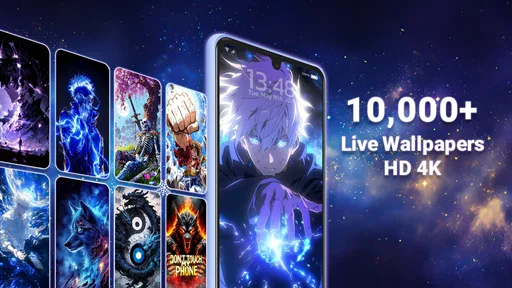
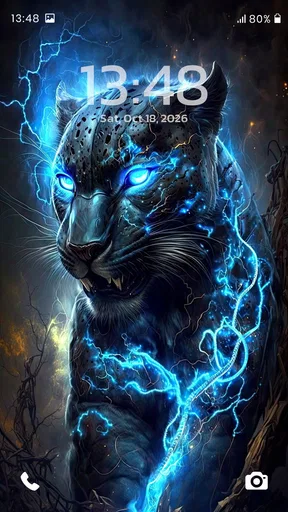
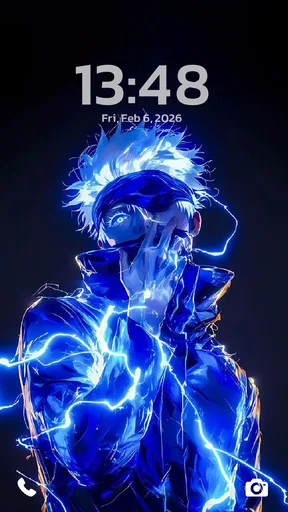
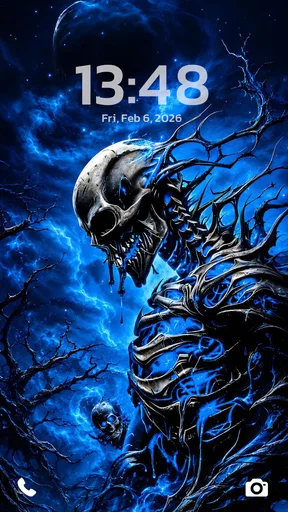
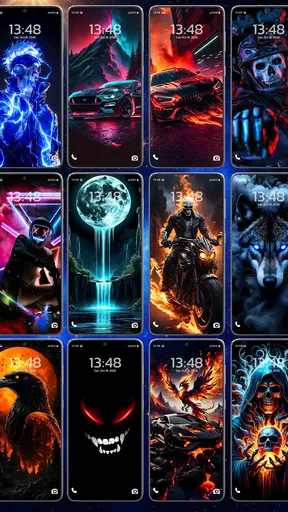
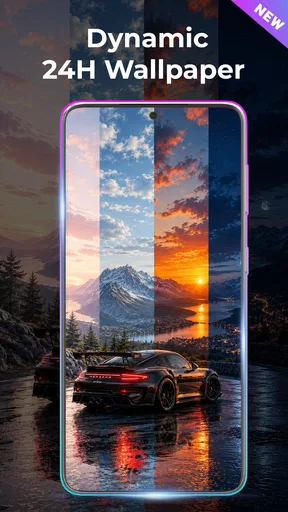
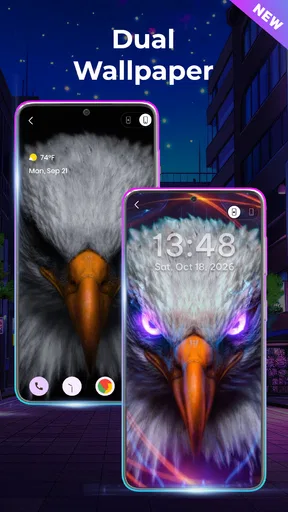
Our Review of Live Wallpapers HD 4K
 Analysis by Appyee
When I change my phone’s wallpaper, I want the result to feel personal without turning setup into a project. Live Wallpapers HD 4K is a personalization app for that small but satisfying refresh: it focuses on animated backgrounds, with a mix of visual styles for people who would rather browse and apply than build a design from scratch. I find it most appealing when I want a screen that feels lively at a glance, but I would not recommend live imagery to everyone; a simple still background can be the better fit if conserving attention, battery, or storage matters more than motion.
A quick start, with a practical check
The minute you fire up the app, you’re greeted with a slick and intuitive interface. It’s not cluttered with unnecessary buttons or confusing menus, which is a big plus in my book. You can dive right into exploring wallpapers without much fuss. That quick route from opening the app to choosing a look is useful when I have only a minute between tasks and don’t want to spend that time learning a complicated editor.
Setting up the app is a breeze. Once installed, it doesn’t bombard you with endless permissions. Just the essentials to get those wallpapers dancing on your screen. With a few taps, you can transform your phone into a moving masterpiece. It’s as simple as selecting a wallpaper and applying it. Voilà! Before settling on one, I’d still check how it looks behind my usual icons and widgets; a dramatic image can be attractive in a preview but make the home screen harder to scan.
That small check is especially worthwhile if you keep a crowded first page. Try a candidate on the screen you use most, then look at it in ordinary lighting rather than judging only from a bright preview. If the movement competes with app labels or makes a clock difficult to read, I’d choose a calmer design instead. The best wallpaper is not necessarily the most elaborate one; it is the one that still lets the phone feel easy to use.
Finding a style that works beyond the preview
Now, let’s talk about the real star of the show—the wallpapers themselves. The collection is nothing short of impressive. You’ve got your stunning nature sceneries, mesmerizing abstract designs, and even some quirky animated pieces that add a fun twist to your screen. That variety gives me a useful starting point whether I want something peaceful, vivid, or simply less plain than the default background.
One of my favorites was the serene ocean view. The way the waves gently roll across the screen is almost meditative. And if you’re a fan of the cosmos, there are some breathtaking galaxy wallpapers that make you feel like you’re stargazing right from your phone. It’s all about finding that perfect vibe that matches your mood.
For everyday use, I’d think about the image as part of the whole interface, not just as a miniature scene. A bright or busy design may look striking when the phone is unlocked, yet draw attention away from icons and notifications. Nature scenes and softer abstract options can make a better background for someone who checks their phone often; more vivid animation can suit a secondary screen or a device used mostly for media. That is a personal trade-off, but it helps avoid choosing something that feels tiring after the novelty wears off.
A realistic way to use the collection is to make a change when your routine changes: a quieter scene for workdays, perhaps, and a more playful look when you have time to enjoy it. I would not treat a wallpaper as a productivity tool, but visual cues can make a familiar device feel refreshed without rearranging apps or changing how I work. If you prefer a single stable look, browsing once and keeping one favorite is just as sensible as making frequent changes.
What to expect from motion and image quality
Performance-wise, the app runs smoothly without causing any noticeable lag or battery drain. This was a major concern for me because nothing’s worse than a beautiful wallpaper that turns your phone into a sluggish mess. Thankfully, the experience feels responsive in ordinary use. Still, live backgrounds involve more than a static picture, so I’d pay attention to how your own device behaves after applying one, especially if it already struggles with demanding tasks or has limited battery headroom.
The quality of the wallpapers is top-notch. They are truly 4K, ensuring crisp and vibrant visuals. No pixelation or blurry images here. It’s clear that the creators have put a lot of effort into curating a high-quality library. In practice, I’d judge an image on the phone itself rather than expecting every screen to show the same level of detail: display size and resolution affect what you can notice, and a sharp image cannot make a lower-resolution screen display extra detail.
For a fair performance check, I’d apply a wallpaper and use the phone normally instead of repeatedly opening the preview. That gives a better sense of whether motion feels distracting, whether everyday navigation remains comfortable, and whether the visual effect is worth keeping. If you notice that the phone feels warmer or less responsive during your own routine, switching to a still background is a straightforward way to reduce the extra activity. I see that as a sensible choice, not a failure of the app.
There is also a difference between admiring a moving scene briefly and wanting it on screen all day. A slow, gentle animation can be pleasant during quick checks, while fast or high-contrast motion may become visual noise. I’d choose based on how often I unlock the phone and what I do there. Someone who mostly reads messages may prefer a restrained background; someone who enjoys customizing the look of the device may be happier with more movement.
Personalization without over-tuning
What’s a wallpaper app without a bit of personalization, right? The app offers some nifty customization options. You can adjust the speed of animations and even set schedules to switch wallpapers automatically. This feature is perfect for someone like me who can’t stick to one background for too long. I’d start with a slower setting if a scene feels busy, then increase the pace only if the motion remains comfortable behind everyday icons.
Another sweet feature is the ability to create playlists of your favorite wallpapers. You can cycle through them automatically, keeping your screen fresh and exciting every day. A playlist is most useful when I keep it deliberate rather than adding every image I like: a short group of compatible scenes makes the changes feel curated, while a long collection of unrelated styles can make the phone look inconsistent from one check to the next.
Schedules and playlists are worth considering together. If you enjoy variety but dislike having to make a decision each time, a small rotation can take care of that. If you use the phone for work and want a predictable screen, manual selection may be better. I’d also test the sequence before relying on it: a wallpaper that looks good by itself might not sit well beside the next one, and a rotation that changes at an inconvenient moment can feel less personal than simply choosing a favorite.
The app is free to install, and optional in-app purchases range from $0.99 to $49.99 per item. I’d begin with what is available without paying and decide whether the app fits my habits before considering a purchase. If you only want one attractive background, spending extra may not add much value; if you enjoy experimenting with the personalization experience, compare the specific purchase choices in the app before committing. The key is to treat paid extras as optional rather than necessary for trying the basic idea.
How it fits into a normal phone routine
I find a live wallpaper works best when it fits into the routine I already have, rather than asking me to manage another part of my phone. A quick browse during a spare moment can be enough to find a look worth trying; then I can judge it while checking messages or opening apps as usual. That everyday test also helps me decide whether motion feels like a welcome detail or a distraction.
Everyday usability and device limits
The user experience is seamless, making it easy for anyone to navigate through the app. Whether you’re tech-savvy or not, you’ll find it straightforward to use. The app also supports multiple languages, making it accessible to a broader audience. This inclusivity is a thoughtful touch that I really appreciate.
In terms of accessibility, the app doesn't demand a high-end device to function properly. It performs well on both older and newer models, which is great news if you’re not rocking the latest smartphone. It is available for Android devices running version 8.0 or later, so that is a useful first check before installing. The app is rated Teen, a detail families may want to consider when deciding whether it is suitable for a younger user.
Device limits are not only about whether an app opens. A phone with a smaller display may make fine visual detail less noticeable, while a device with limited battery capacity may make you more cautious about keeping animation active. I’d decide with a simple priority test: if a moving scene adds enough enjoyment to justify its place on the screen, keep it; if you are trying to simplify the phone or stretch battery life, a static image is likely the more comfortable option.
Compared with choosing a still image from a phone’s built-in wallpaper settings, this app is aimed at people who want motion and a dedicated place to explore animated backgrounds. Built-in options are usually the more direct choice when all you need is a dependable photo or a simple color and you do not want another app in your routine. A generic image-search approach can offer more control over a particular subject, but it does not provide the same focused browsing experience for live wallpapers. I’d pick based on whether animated variety is the point, not on the assumption that one approach is universally better.
In a typical day, I might browse while waiting for a ride, choose a gentle scene, and check it again later while replying to messages. If it still looks calm behind the icons and does not distract me, I’d keep it. If I find myself noticing the animation more than the information on the screen, I’d switch to a still background or a quieter option. That brief real-world trial is more useful than spending a long time comparing previews.
The app is developed by Wallpaper app, and it has an average rating of 4.3 from around 181,000 ratings, with over 10 million installs. Those figures suggest that many people have tried it, but I would still treat personal preference as the deciding factor: some users enjoy a screen with movement, while others quickly prefer a clean, static look. It was released on September 3, 2019, and its current version is 4.1.8, so it has an established presence rather than being a brand-new entry in the category.
Reliability and when I would choose something else
For reliability, I’d focus on the part that matters after setup: whether the selected look remains pleasant and predictable as I go about my day. A clean browsing and applying process makes experimentation easy, but a live wallpaper is still something I’d evaluate on my own device and in the context of my normal screen layout. If it does not behave or look the way I want, I would replace it rather than keep troubleshooting for the sake of a background.
That makes this a good match for people who enjoy personalizing their phone visually, like animated scenes, and want a quick route from browsing to applying. It is less suitable for someone who never changes their background, finds motion distracting, or is trying to keep phone activity to a minimum. It may also be the wrong choice if your main goal is to design a precise composition from personal photos or control every visual detail; a dedicated photo editor or the phone’s own wallpaper controls can be a better fit for that job.
If a live wallpaper seems slow or inconvenient, I’d first try a less active scene or switch to a static image, then compare how the phone feels during ordinary use. That gives a practical answer without guessing at the cause. For anyone who shares a device with a younger family member, the Teen content rating is another reason to review suitability before handing it over.
Overall, Live Wallpapers HD 4K is a fantastic app for anyone looking to add a dynamic touch to their phone. It’s user-friendly, packed with stunning visuals, and offers plenty of customization options. The app does a great job of balancing performance with quality, ensuring your device remains snappy while displaying those gorgeous wallpapers.
If you’re on the fence, I’d say give it a whirl. It might just be the upgrade your home screen has been waiting for. Happy wallpaper hunting!
Privacy and Permissions
See what permissions an app requests and how it handles your data.
- Wi-Fi connection information
- view Wi-Fi connections
- Other
- view network connections, full network access, run at startup, set wallpaper, control vibration, prevent device from sleeping, Google Play license check
Verdict
Strengths of Live Wallpapers HD 4K
- Stunning 4K resolution for crisp visuals.
- Wide variety of dynamic themes available.
- User-friendly interface for easy navigation.
- Minimal impact on battery life.
- Regular updates with new wallpapers.
Limitations of Live Wallpapers HD 4K
- Limited free options, many are paid.
- Ads can be intrusive during use.
- Requires a stable internet connection.
- Some themes are data-heavy.
- Customization options are limited.
Similar Picks in This Category
View All
Microsoft SwiftKey AI Keyboard
SwiftKey4.3

Wallpapers
Google LLC4.1

Zedge™ Wallpapers & Ringtones
Zedge4.7

Yandex Browser with Alice AI
Direct Cursus Computer Systems Trading LLC4.3

Ringtone Maker:create ringtone
Big Bang Inc.4.7

Fonts Keyboard
Fonts Keyboard3.9
Frequently Asked Questions
What makes Live Wallpapers HD 4K stand out from other wallpaper apps?
Live Wallpapers HD 4K offers a vast collection of high-resolution wallpapers that provide an immersive visual experience. Unlike other apps, it features dynamic live wallpapers that are optimized to consume minimal battery. The app also includes daily updates, ensuring fresh content regularly. Additionally, it supports both Android and iOS, making it versatile for different devices.
Does using live wallpapers affect my device's battery life?
Live Wallpapers HD 4K is designed to minimize battery consumption. The app employs efficient coding techniques to ensure that its live wallpapers have a minimal impact on battery life. However, as with any live wallpaper, there could be a slight increase in battery usage, which varies depending on the device model and settings.
Are there any costs associated with using Live Wallpapers HD 4K?
The app is free to download and offers a substantial number of wallpapers at no cost. However, it does have in-app purchases and a premium subscription option that unlocks additional features, such as exclusive wallpapers and an ad-free experience. Users can choose free or paid options according to their preferences.
How often is new content added to Live Wallpapers HD 4K?
The app is committed to keeping its content fresh and exciting. New wallpapers are added daily, ensuring a constantly updated library. This frequent update schedule keeps users engaged and allows them to personalize their device with the latest trends and seasonal themes.
Is Live Wallpapers HD 4K compatible with all devices?
Live Wallpapers HD 4K is compatible with a wide range of Android and iOS devices. It supports various screen sizes and resolutions, ensuring a seamless fit for most smartphones and tablets. Users should ensure their device's operating system is updated to the latest version for optimal performance.
